
Go to Settings >> Knowledge Base from the navigation bar and click Alert Rules.
Click the Activate alert rule icon under the Actions column for the label package.
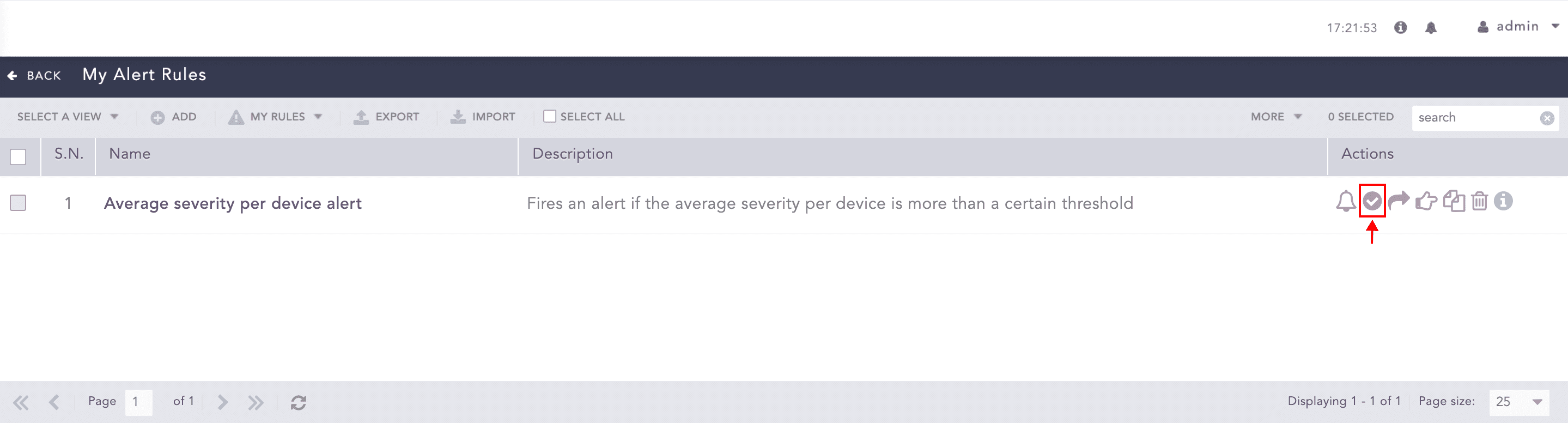
Activating an Alert Rule
To activate multiple alert rules, select the alert rules. Click the More drop-down and select Activate Selected Alert Rules.
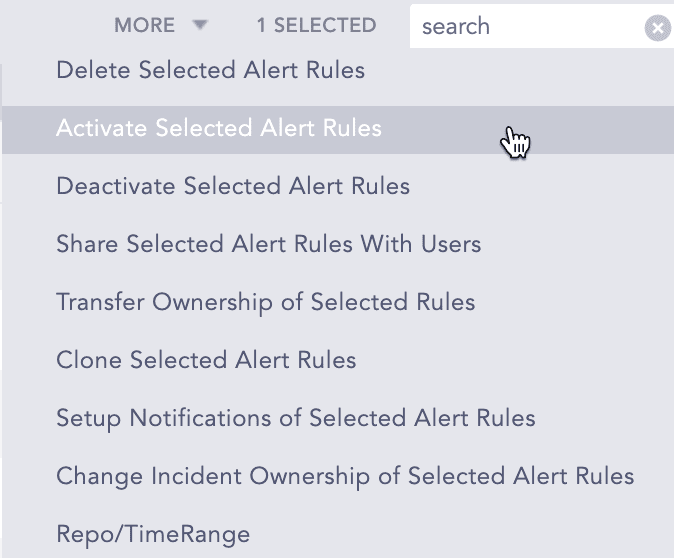
More Drop-down - Activate Selected Alert Rules
To activate all the alert rules, click Select All. Go to the More drop-down and select Activate All Alert Rules.
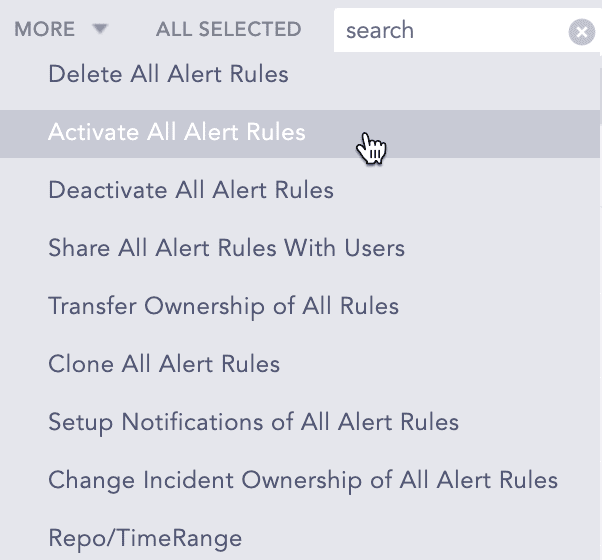
More Drop-down - Activate All Alert Rules
Note
You can De-activate the alert rules using the same method.